Introduction
Overview of TimeTracker RX Admin
Admin, the TimeTracker RX management tool, is used to check and change settings related to the entire system.
- Defining master information such as users and organizations that use TimeTracker RX
- Defining information such as item type information when planning a project
- System settings such as registering license keys
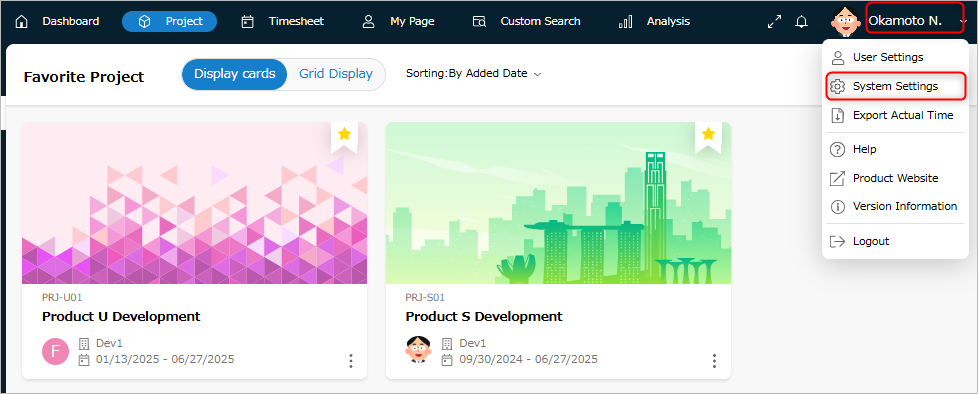
What you can do with Admin
Admin manages the following information when operating TimeTracker RX.
| No. | Information | Description |
|---|---|---|
| 1 | Master information | Define the master information of TimeTracker RX (users, organizations, etc.). |
| 2 | Project | Change the project status (Finished/Running) in one go. |
| 3 | Item Type Information | Define the type of work items to be set for the project. |
| 4 | Profile | A profile defines the project configuration information collectively. Define the information required for project configuration. |
| 5 | System Preferences | You can check and change the settings related to the entire system. |
Manage User Information
You can change the master information for using TimeTracker RX.
Use this when adding users who use TimeTracker RX or changing the organization.
The information managed in the master information is as follows.
Managing projects
You can change the status (finished/in progress) of all projects at once without opening each one.
You can also unlock locked projects and delete unnecessary projects.
Managing item categories
You can change the information of work items set in a project.
You can also add fields and statuses to be used in a project.
You can use the added content after importing it into a project.
The information managed by item type is as follows.
- Manage item types
- Define fields used in the project
- Define status
- Define process classification
- Define work classification
Manage profiles
A profile is a collection of project settings (fields, statuses, etc.) that are defined in advance.
The settings can be changed later.
By applying a profile when creating a project, you can reflect changes to the setting information all at once.
Manage system settings
You can check and change settings related to the entire system, such as the input granularity of labor hours and the standard cost unit price.
It is also used when updating the license key due to a version upgrade of TimeTracker RX.
The settings to be made are as follows.