Utilizing My Work Items
Overview
When there are many work items displayed in the "Work Item Tree," the effort required to find the target item when entering actual man-hours increases.
Especially for frequently used items, the effort of searching each time becomes burdensome.
By registering items as shortcuts in "My Work Items," you can quickly enter actual man-hours.
Please refer to the first video. : "Link to video"
Registering Work Items
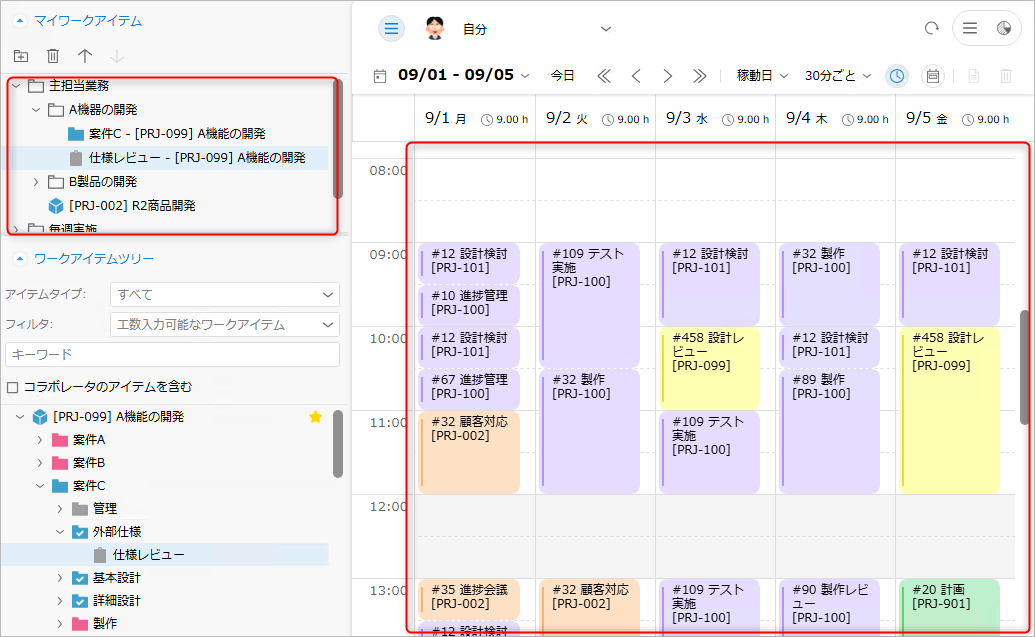
To register an item to "My Work Items," simply drag and drop the target item from the "Work Item Tree" to "My Work Items."
Entering Actual Effort
You can also enter actual effort from "My Work Items" in the same way as items in the "Work Item Tree."
Please refer to the following link for input instructions: "Entering Actual Effort"
Double-clicking a work item registered in "My Work Items" will select the corresponding item in the "Work Item Tree."

Editing Work Items
You can make items in "My Work Items" easier to use by renaming them or grouping them.
- Changing the Order of Items
- You can change the order of items by simply dragging them within "My Work Items".
- Rearranging the order of items makes it easier to input work hours.
- Changing the Name
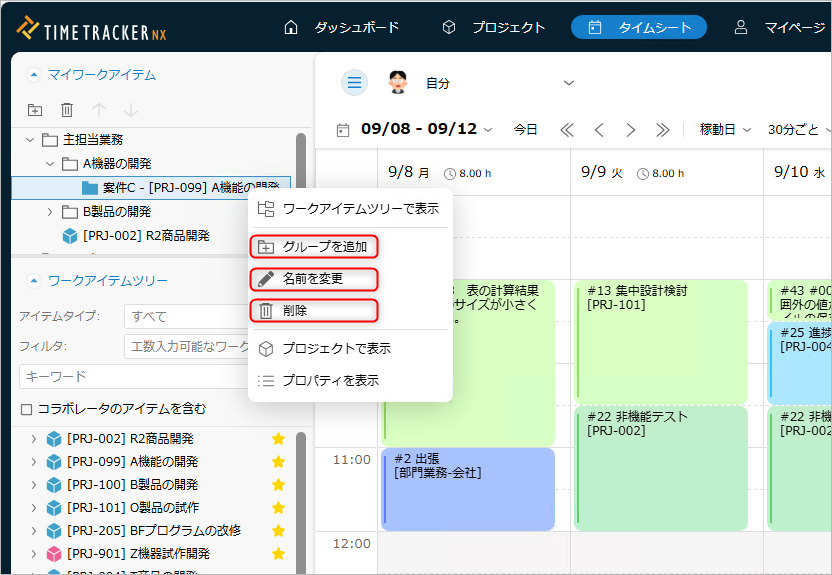
- You can change the name by right-clicking and selecting "Rename".
- The changed name is limited to display in "My Work Items". The original name of the item is not changed.
- If you input actual work hours, the changed name will be saved as a memo in the actual work hours.
- Deleting
- Select "Delete" from the pop-up menu.
- Deleting an item from "My Work Items" will not delete it from the "Work Items Tree."
Grouping Items
You can group and organize the items displayed in "My Work Items." Create a group from the "Add Group" pop-up menu and drag the items you want to group.
- You can perform the same operations on groups as you would on individual items.
- If you delete a group, all items within that group will also be deleted.