Entering My Own Workload
Overview
Reviewing Daily Work and Notifying Recent Work
Yesterday's work, work to be done today, actual workload on a weekly/monthly basis, projects with high workload, etc.
Notifications will be provided in fixed units.
The following information is also easily visible, so please use it for daily reflection:
- Immediately needed tasks
- Percentage of tasks entered on that day
- Overtime hours (time exceeding standard working hours)
To use this function, please install 'TimeTracker Reporting' (desktop application).
For an overview and installation instructions, please refer to the following page.
"Notification Function"
Your Reflection Report
The following information will be provided on a daily/weekly/monthly basis.
| Unit | Content to be reported | Image |
|---|---|---|
| Day | -Items and man-hours entered yesterday - Work from today onwards | 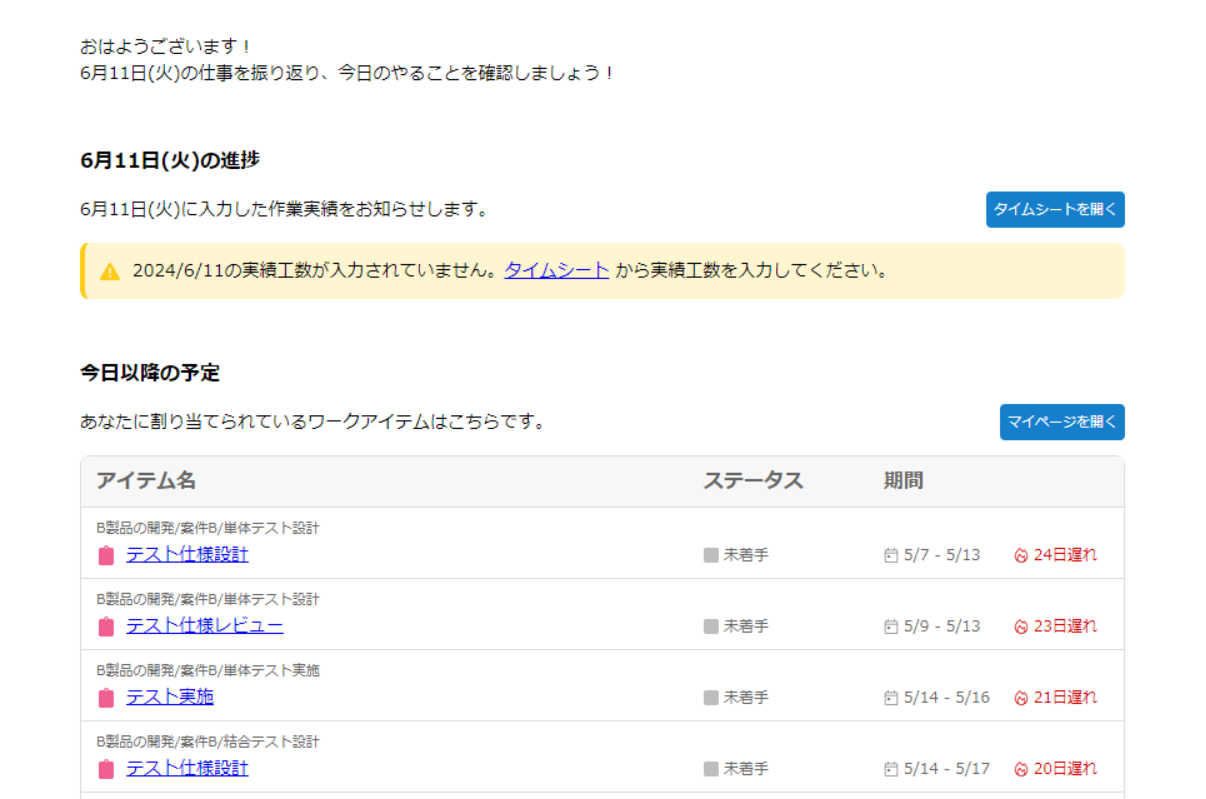 |
| Week | -Actual man-hours entered for that week - Projects with high man-hours | 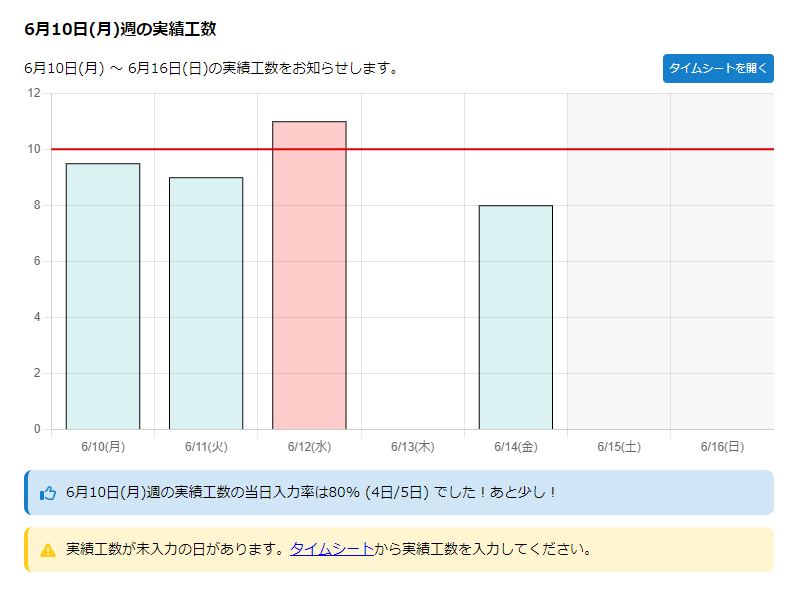 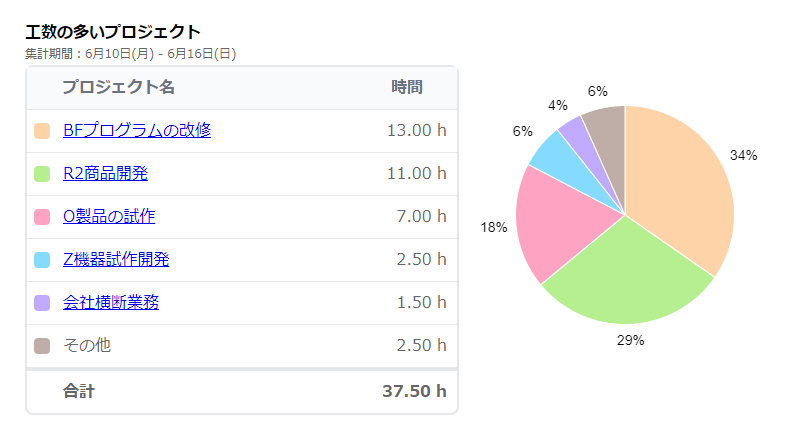 |
| Month | -Actual man-hours entered for that month - Projects with high man-hours (same as week) | 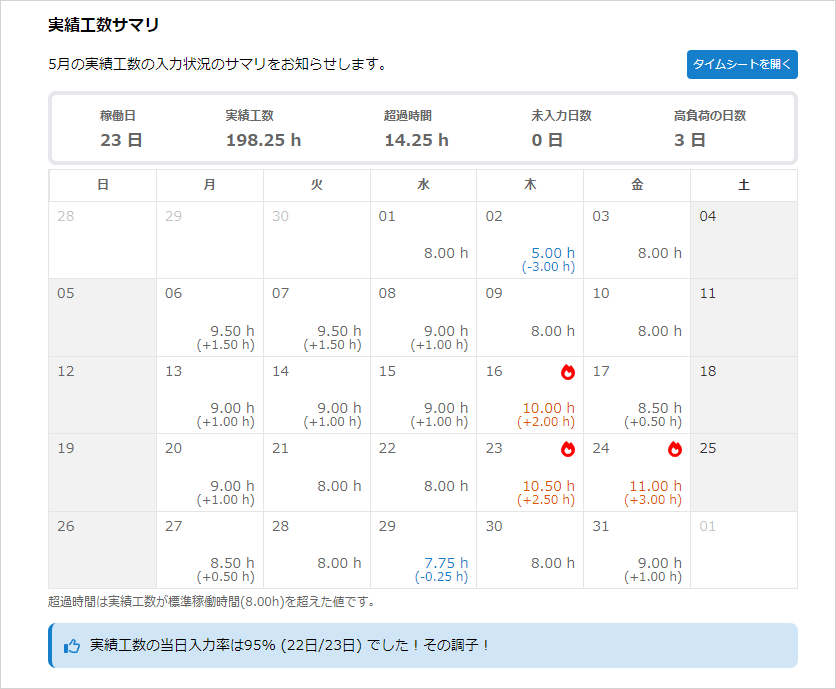 |
Report Settings
Please refer to the following page for basic settings.
"Common Report Settings"
In addition to the above, the following items can also be configured:
-
Display excess hours in reports at the beginning and end of the month: Toggle the display/hide of the red box below.
