Single Project
Overview
Project Progress Notifications
We will notify you of the project status daily, at the beginning of the week, and at the beginning of the month.
We will assess the project's health based on trends over the past few weeks, leading to early detection of problems.
Use this for regular reporting input to streamline project management.
To use this function, please install 'TimeTracker Reporting' (desktop application).
Please refer to the following page for an overview and installation instructions.
"Notification Function"
Follow Managed Projects
We will notify you of the following information at fixed daily/weekly/monthly intervals, and when problems are detected.
| Contents to be announced | Image |
|---|---|
| Overall project status and active folder (*1) status (project management indicators) | 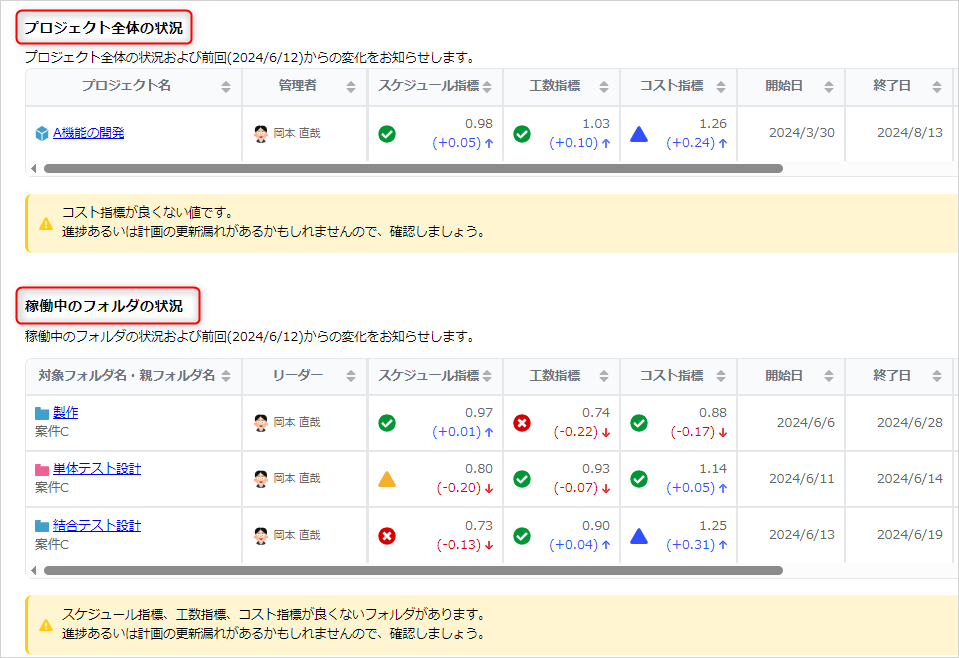 |
| Status trends over a fixed period in the past (*2) | 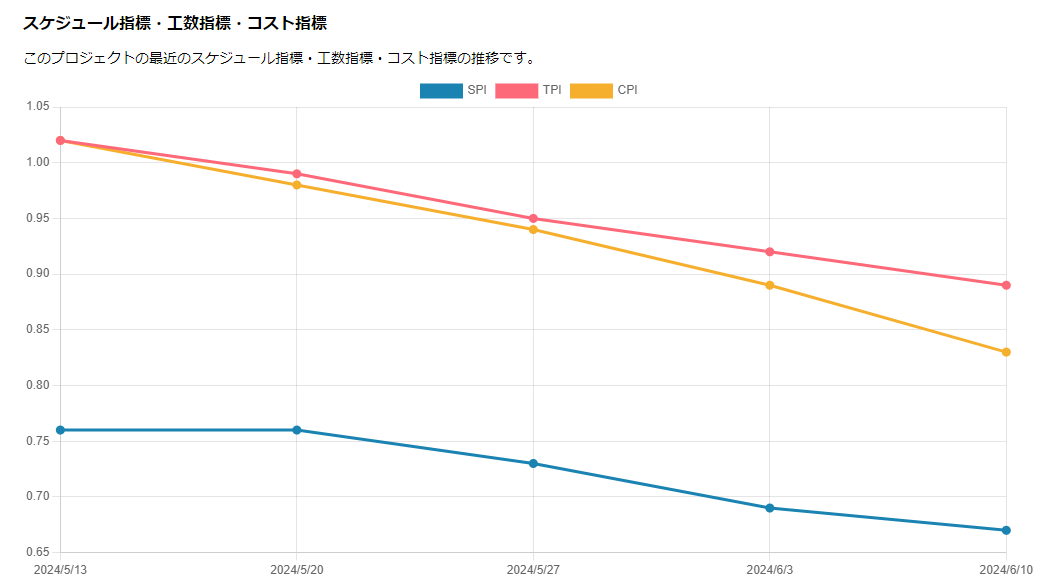 |
| Planned man-hours, actual man-hours | 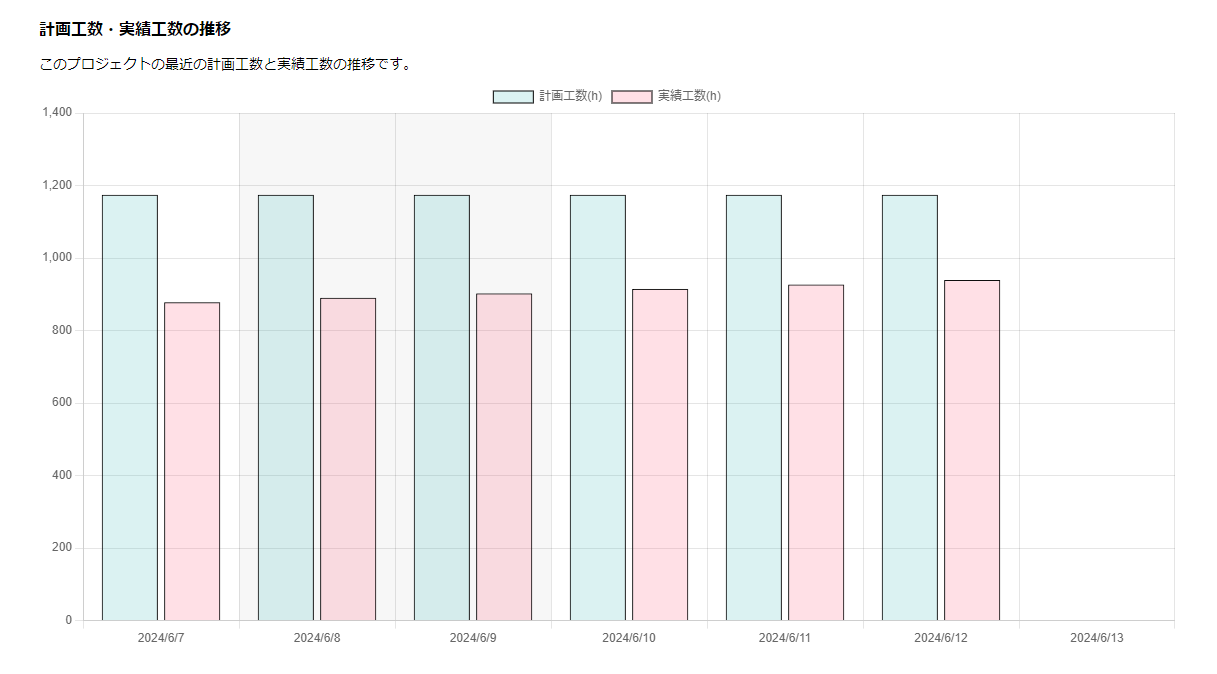 |
| Items with delays | 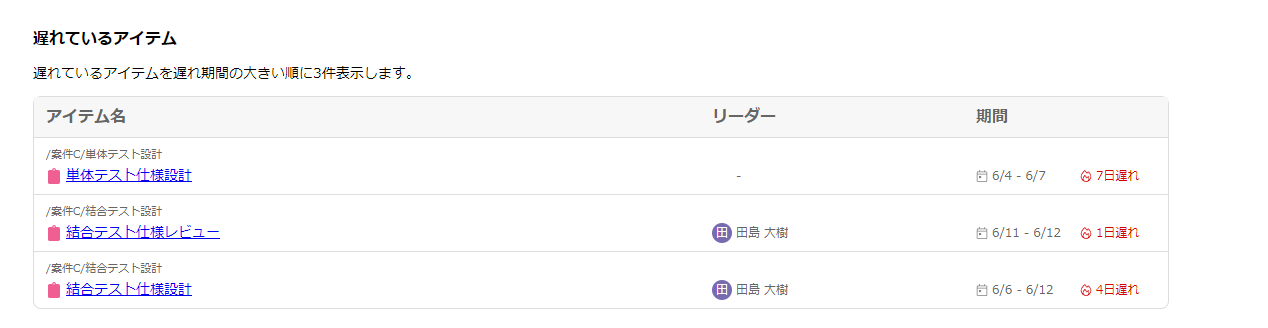 |
- *1 Displayed under the following conditions.
- Display Target:
- Folders whose start date is before the report creation date and whose progress rate is not 100%
- Folders whose progress rate reached 100% after the last report was created
- Display Hierarchy: This can be changed from "Advanced Settings" in the report settings.
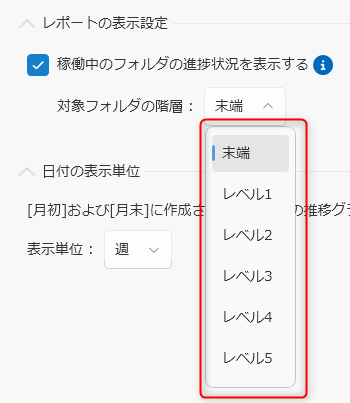
- Display Target:
- *2 Please enable the setting to record progress in the following project screen beforehand.
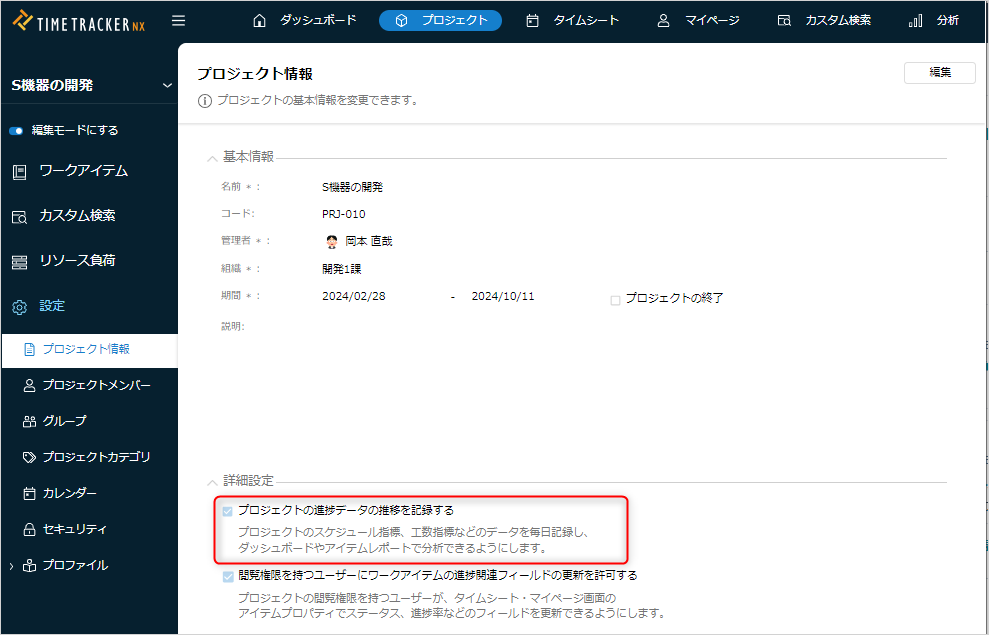
Transition information is not reported in Standard Edition.
Report Settings
Please refer to the following page for basic setting items.
"Common Report Settings"