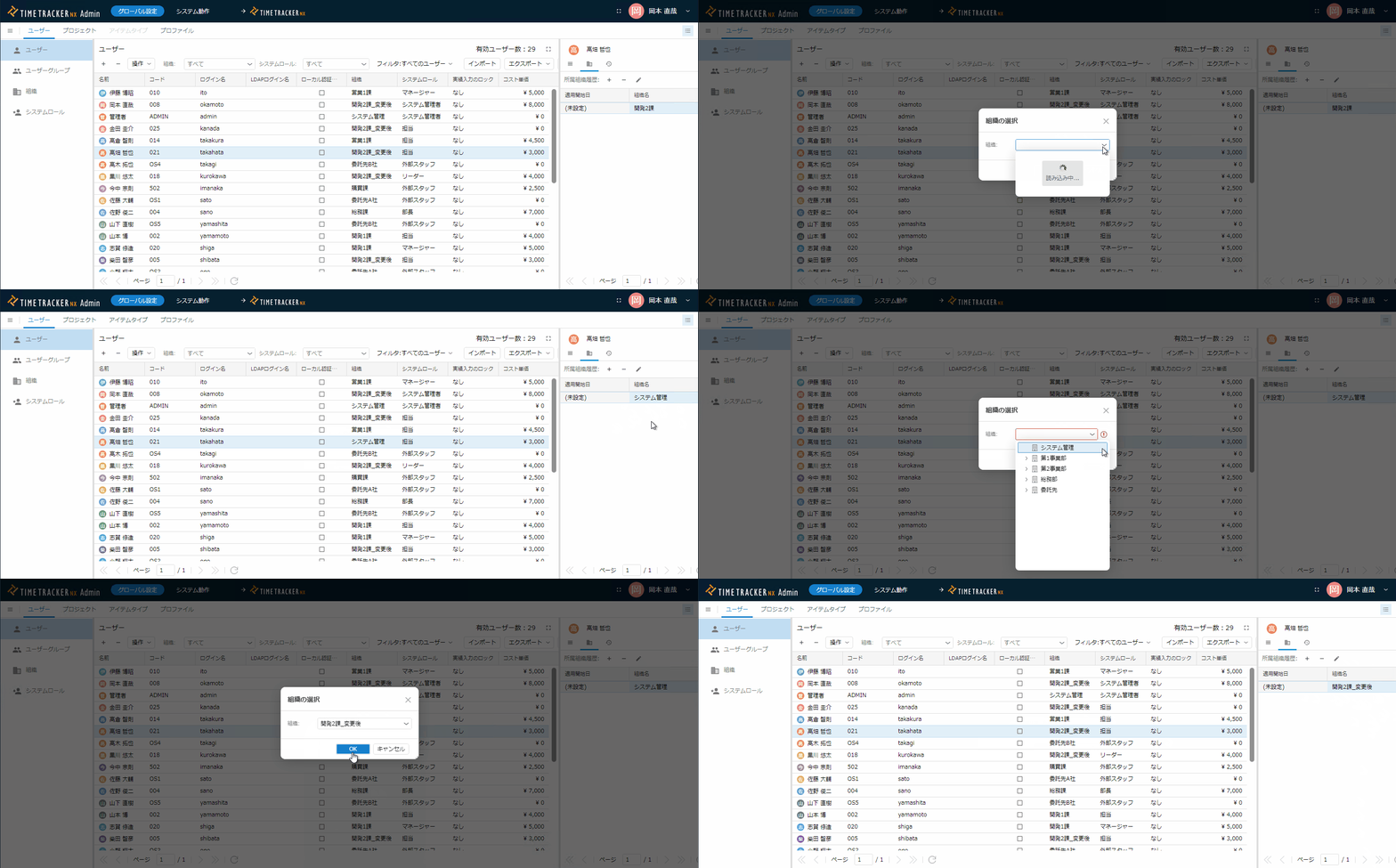
Organization Change Not Reflected in User List's Organization History
Phenomenon
In TimeTracker RX versions prior to 6.0, when changing an existing organization name in the user list on the system administration screen, the following two phenomena occur:
-
The name is not reflected in the user's organization history, resulting in the state shown in the video below.
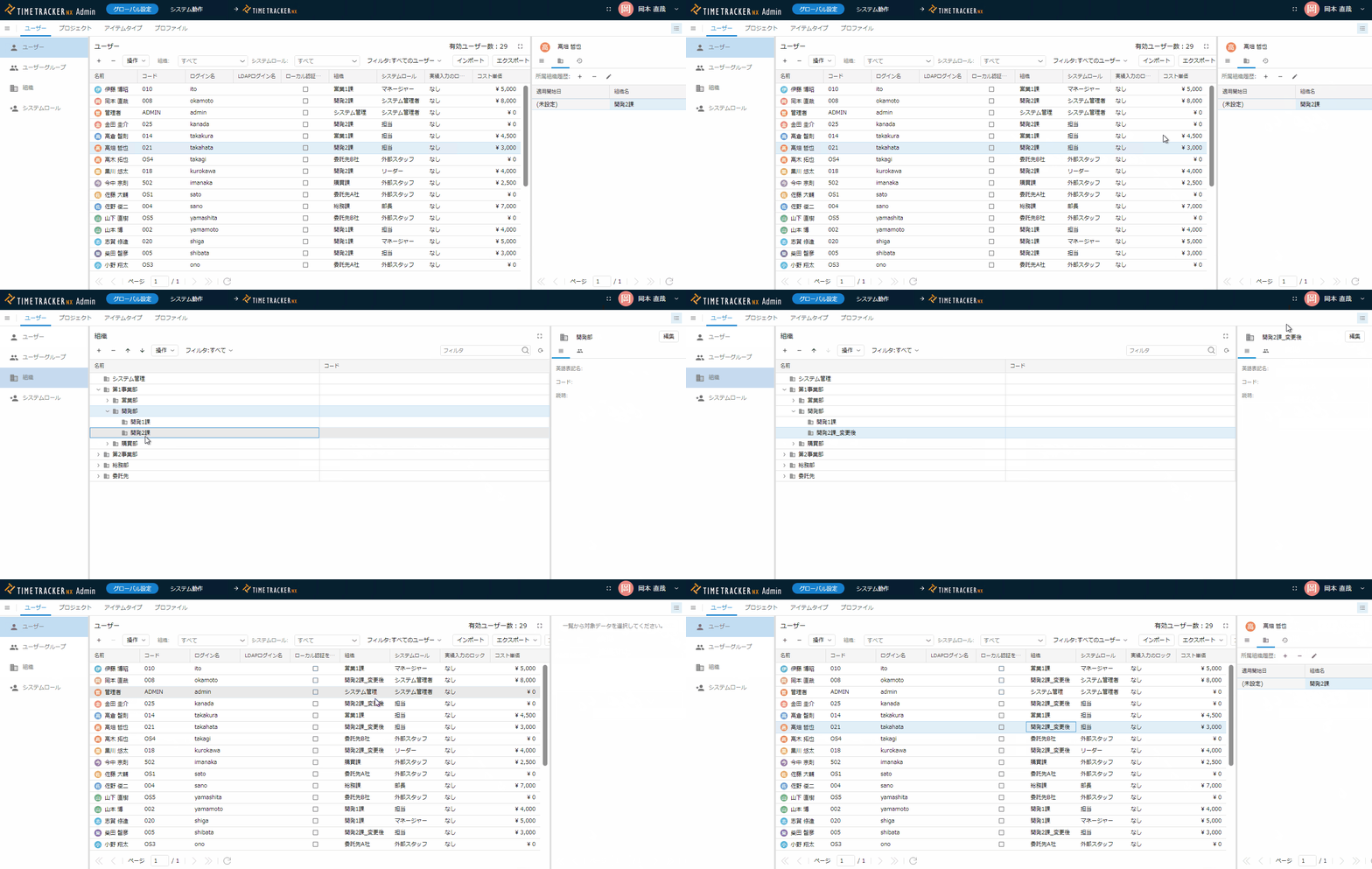
- Organization name in list: Intended organization name (=Development 2nd Division_after change)
- Organization name in organization history: Organization name before change (=Development 2nd Division)
-
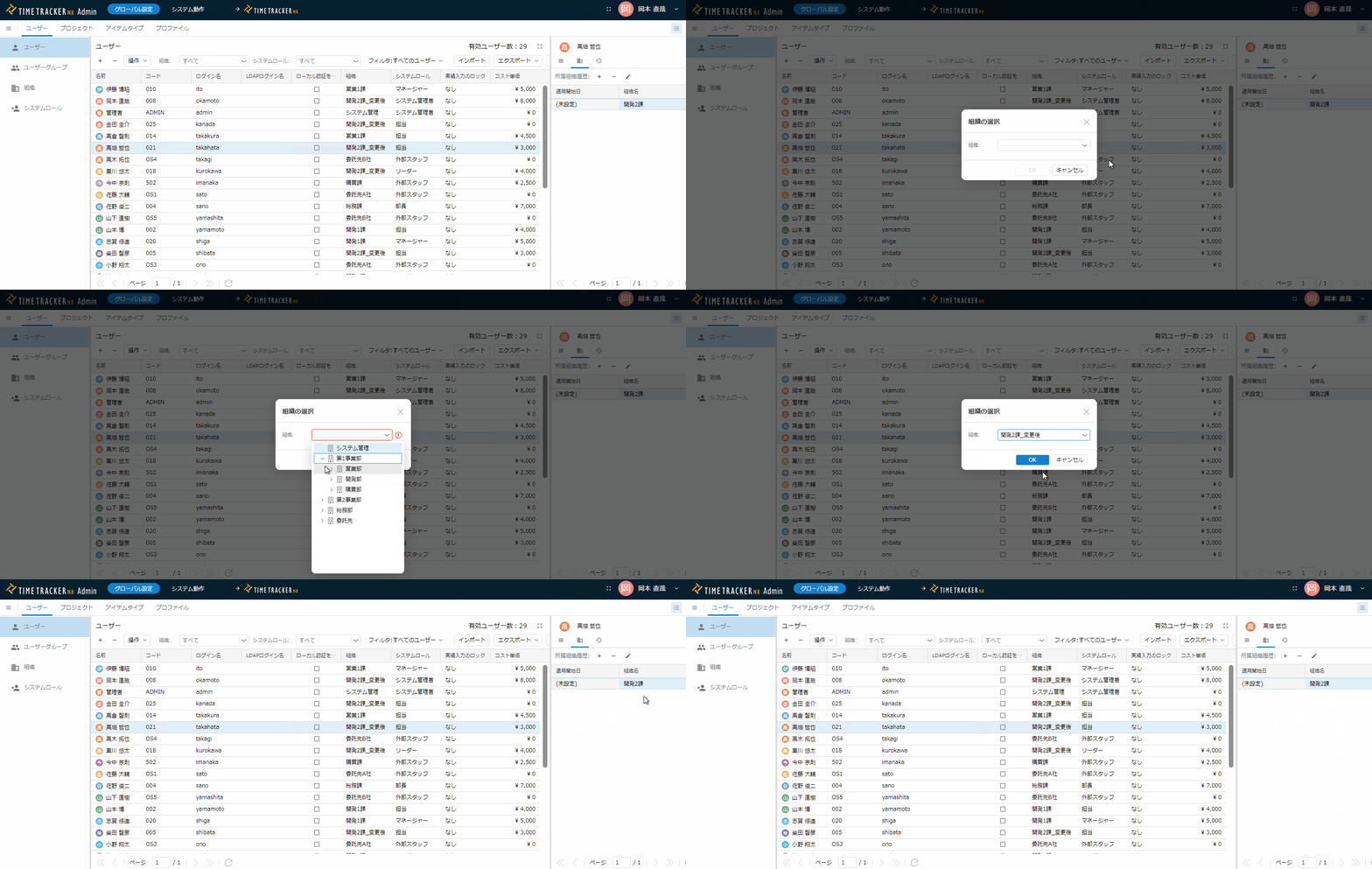
Changing the organization name in state 1 does not change anything.
Conditions for occurrence
This occurs when the name of an existing organization is changed.
This does not occur when a new organization is created and the organization assignment is changed.
The organization history is "the name when the user was assigned to the organization" and does not change even if the organization name is changed later.
Workaround
Instead of changing the name of an existing organization, create a new organization and change the user's organization.
If you absolutely need to change the name of an existing organization, please assign it to another organization first, as shown in the diagram below, and then assign it again to the new organization name.