When opening timesheets in multiple tabs, actual work hours displayed on the timesheet screen may disappear under certain conditions.
Target Version
TimeTracker NX 7
Standard/Professional Edition
Phenomenon
Actual work hours displayed on the timesheet may disappear.
For example, if the timesheet is displayed by working days, the work hours for that working day will disappear; if it's displayed as a single day, the work hours for that day will disappear.
Steps to Prevent the Problem
This problem occurs when performing the following operations:
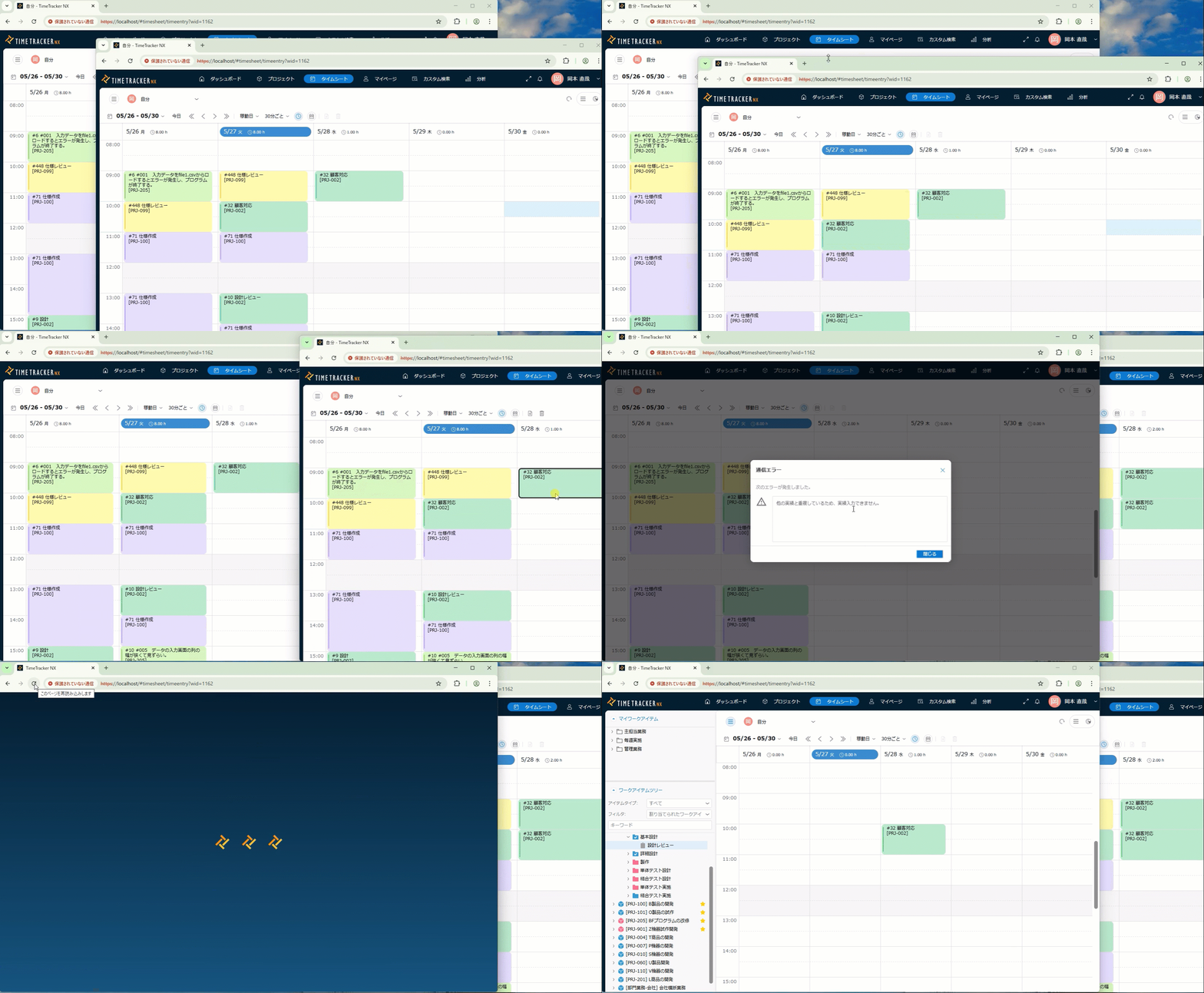
- Open timesheets simultaneously in multiple screens. Example: Opening timesheets on different PCs, or opening multiple tabs in the same browser.
- Add actual work hours to one of the timesheets.
- Open the "Actual Work Hours Details Dialog" in another timesheet.
- Change the actual work time displayed in the dialog box opened in step 3 to the time that overlaps with the actual work time added in step 2. At this point, an error will appear indicating that the actual work time overlaps.
- Reload the screen.
Please refer to the following video for detailed instructions.
Workaround
Please use one of the following methods:
- Do not change the actual work time while the "Actual Work Time Details Dialog" is open.
- Operate the timesheet from a single screen. (Avoid using multiple tabs or multiple PCs.)
Please note that actual work time lost due to this phenomenon cannot be recovered. We sincerely apologize, but if this problem occurs, please re-enter the data.